Make Chrome trust your self-signed Root CA on macOS

Problem

Harbor: Self-signed certificates are suitable for quick localhost tests, but they are not recommended for production or shared environments.

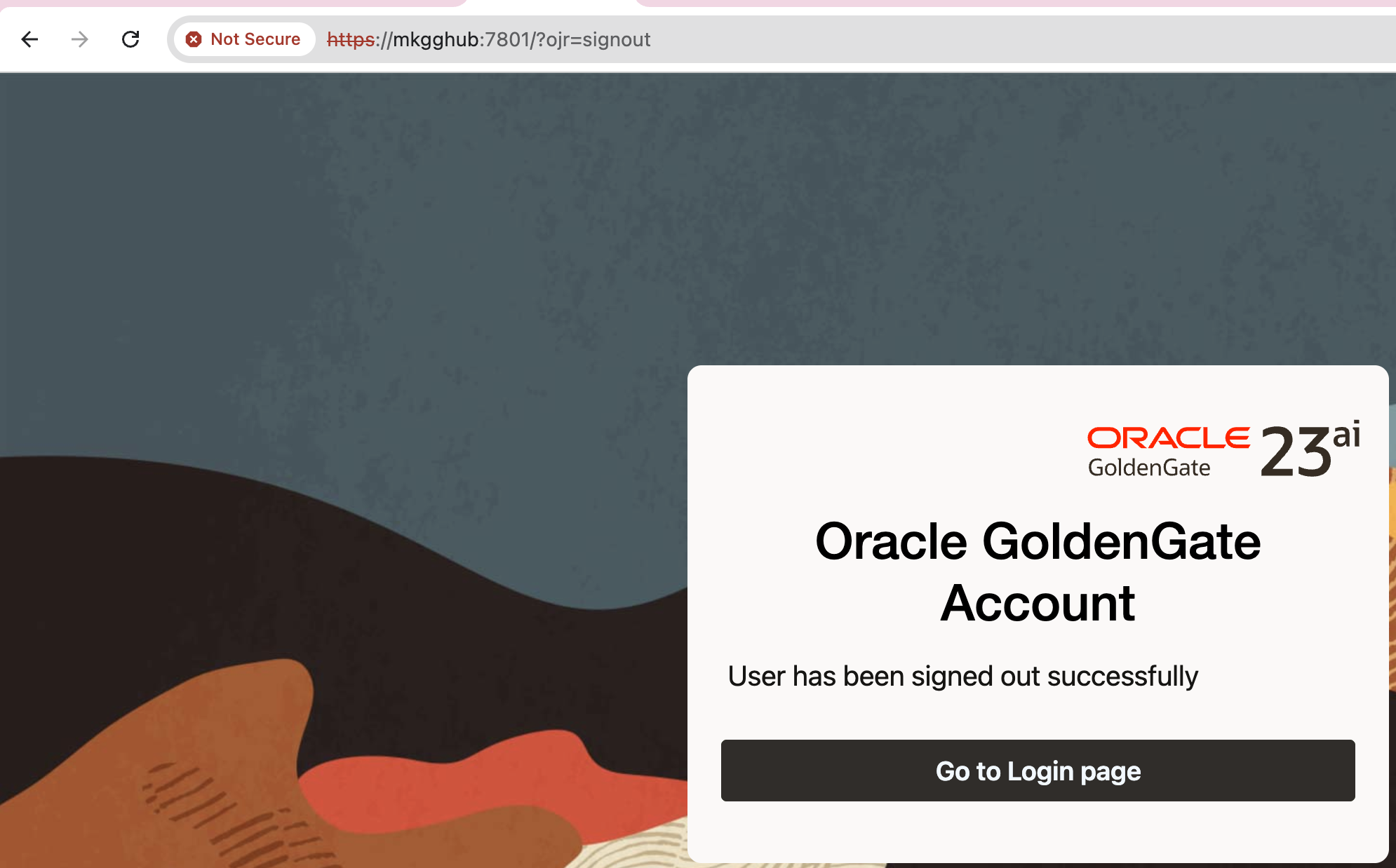
Chrome shows “Not Secure” for my test Golden Gate 23ai setup, where I decided to use a self-signed certificate:

Chrome does not trust the issuer (my self-signed Root CA), which is normal.

Solution

We need to trust Root CA on macOS. For the command line, please see below.
I will start by explaining the GUI version for better visibility. However, I also have a simple command available, please check below.

  • Open Keychain Access -> System keychain -> File -> Import Items… -> pick ca-cert.pem.

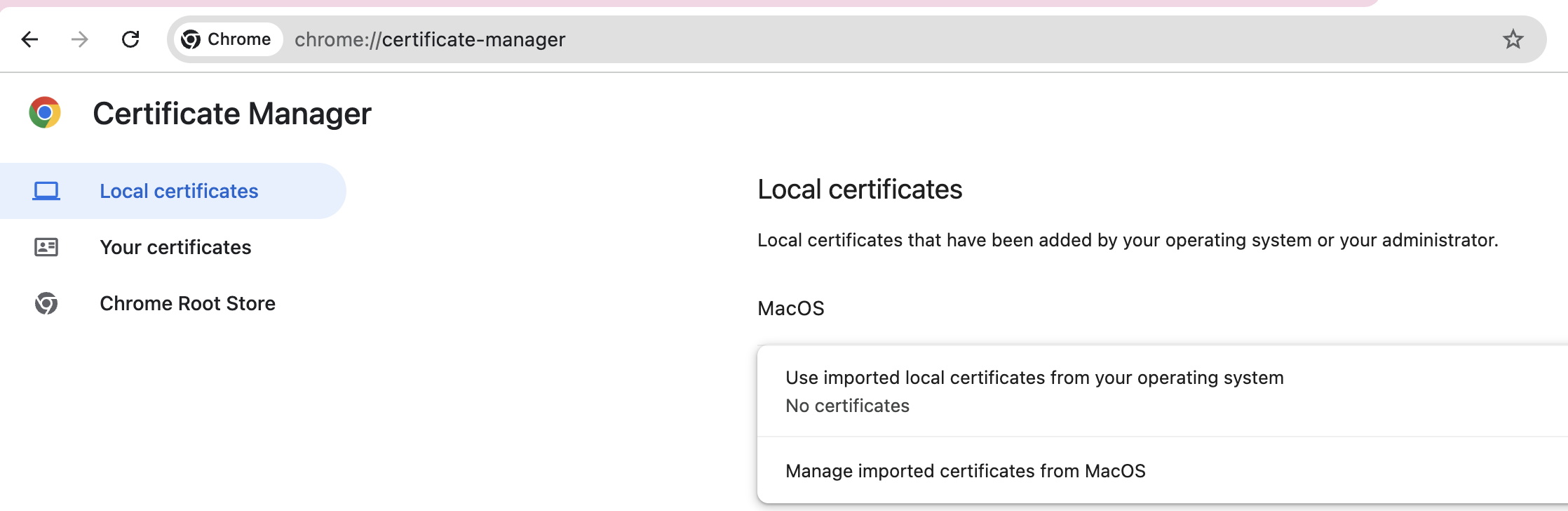
If you cannot find Keychain Access, then type chrome://certificate-manager/ in URL and click Manage imported certificates from MacOS

On the pop-up window, choose Open Keychain Access:

Since you are in the right section, now you can check the steps that I provided before.

  • Double-click the CA -> Trust -> When using this certificate: Always Trust.
  • Quit & reopen Chrome.

CLI equivalent:

$ sudo security add-trusted-cert -d -r trustRoot \
  -k /Library/Keychains/System.keychain ca-cert.pem

Running the above command will install ca-cert.pem in the correct location. You still need to restart Chrome.

After restarting the Chrome, here is the result:

Note: Make sure your server certificate includes a Subject Alternative Name (SAN) for the exact hostname you’re visiting (e.g., mkgghub). CN alone isn’t enough for modern browsers.

Linux/macOS: Retrieve RPMs from .sh file without running the script

Problem

Sometimes vendors ship their software as a single self-extracting .sh installer that contains multiple .rpm or other files inside.

Running the .sh directly might trigger installation logic you don’t want, so the challenge is: How can we safely unpack the RPMs without executing the script?

Solution

Most vendor installers provide built-in extraction flags that allow you to unpack it safely.

First, check whether your script supports extraction options:

  • Run it with --help.
  • Or open the file in a text editor (vi, vim, less) and search for the section that lists available options.
  • Look for keywords like --target, --noexec, or --keep.

    In my case, the script showed this usage block:

    $0 [options] [--] [additional arguments to embedded script]
    
    Options:
      --confirm             Ask before running embedded script
      --quiet               Do not print anything except error messages
      --noexec              Do not run embedded script
      --keep                Do not erase target directory after running
      --noprogress          Do not show the progress during decompression
      --nox11               Do not spawn an xterm
      --nochown             Do not give the extracted files to the current user
      --target dir          Extract directly to a target directory
                            (absolute or relative path)
      --tar arg1 [arg2 ...] Access the contents of the archive through tar
      --                    Pass following arguments to the embedded script


    The key flags here are:

    • --target -> specifies the output directory for extracted files
    • --noexec -> prevents the embedded installer logic from executing

    Here’s how I safely extracted the files from my .sh installer. You might need to create an extract directory before:

    $ sh flashgrid_cluster_node_update-25.5.89.70767.sh --target extract/ --noexec
    Creating directory extract/
    Verifying archive integrity... All good.
    Uncompressing update 100%
    

    Checking the number of files extracted, shows 46:

    $ ll extract/ | wc -l
    46
    

    Linux: Change the crash dump location

    When kdump is enabled, the crash dumps are typically written to /var/crash. However, this directory may not always be suitable – especially if it lacks sufficient space. Thankfully, the dump location is configurable.

    Follow the steps below to redirect the crash dump to another path.

    1. Edit the kdump configuration file /etc/kdump.conf

    Find the line that begins with path (or add it if it doesn’t exist), and set it to your desired directory. For example:

    path /var2/crash

    This tells kdump to save crash dumps to /var2/crash instead of the default /var/crash.

    2. Ensure the directory exists and has enough space

    Create the new directory if it doesn’t already exist:

    # mkdir /var2/crash

    Make sure it has appropriate permissions and enough disk space to store crash dumps, which can be large depending on system memory.

    3. Restart the kdump service

    After making changes, restart the kdump service to apply the new configuration:

    # systemctl restart kdump

    You can check the status to confirm it’s active:

    # systemctl status kdump

    ● kdump.service - Crash recovery kernel arming
    Loaded: loaded (/usr/lib/systemd/system/kdump.service; enabled; vendor preset: enabled)
    Active: active (exited) since Thu 2025-07-10 19:42:12 UTC; 10min ago
    Main PID: 1162 (code=exited, status=0/SUCCESS)
    Tasks: 0 (limit: 196884)
    Memory: 0B
    CGroup: /system.slice/kdump.service

    Jul 10 19:42:08 rac1.mycompany.mydomain systemd[1]: Starting Crash recovery kernel arming...
    Jul 10 19:42:12 rac1.mycompany.mydomain kdumpctl[1428]: kdump: kexec: loaded kdump kernel
    Jul 10 19:42:12 rac1.mycompany.mydomain kdumpctl[1428]: kdump: Starting kdump: [OK]
    Jul 10 19:42:12 rac1.mycompany.mydomain systemd[1]: Started Crash recovery kernel arming.

    ⚠️ Important Notes

    • The crash dump directory must be accessible even during a crash, so avoid temporary filesystems (like /tmp) or network paths unless properly configured.
    • For production systems, it’s best to use a dedicated partition or storage volume with enough capacity to hold full memory dumps.

    ORA-26988: Cannot grant Oracle GoldenGate privileges. The procedure GRANT_ADMIN_PRIVILEGE is disabled.

    Problem:

    While trying to grant the privilege to Golden Gate user in 23ai database, I received the following error:

    SQL> EXEC DBMS_GOLDENGATE_AUTH.GRANT_ADMIN_PRIVILEGE('GGADMIN');
    BEGIN DBMS_GOLDENGATE_AUTH.GRANT_ADMIN_PRIVILEGE('GGADMIN'); END;

    *
    ERROR at line 1:
    ORA-26988: Cannot grant Oracle GoldenGate privileges. The procedure GRANT_ADMIN_PRIVILEGE is disabled.
    ORA-06512: at "SYS.DBMS_LOGREP_UTIL", line 601
    ORA-06512: at "SYS.DBMS_LOGREP_UTIL", line 636
    ORA-06512: at "SYS.DBMS_GOLDENGATE_AUTH", line 38
    ORA-06512: at line 1
    Help: https://docs.oracle.com/error-help/db/ora-26988/

    Explanation:

    With Oracle Database release 23ai, procedures are replaced by roles.

    Solution:

    Grant the following Oracle GoldenGate roles: OGG_CAPTURE for Extract, OGG_APPLY for Replicat, and OGG_APPLY_PROCREP for procedural replication with Replicat.

    grant OGG_APPLY to GGADMIN;
    grant OGG_APPLY_PROCREP to GGADMIN;
    grant OGG_CAPTURE to GGADMIN;

    ORA-27106: system pages not available to allocate memory

    Oracle error ORA-27106: system pages not available to allocate memory can appear when starting up a database instance, particularly when HugePages are misconfigured or unavailable. This post walks through a real-world scenario where the error occurs, explains the underlying cause, and provides step-by-step resolution.

    Problem

    Attempting to start up the Oracle database instance results in the following error:

    oracle@mk23ai-b:~$ sqlplus / as sysdba

    SQL*Plus: Release 23.0.0.0.0 - for Oracle Cloud and Engineered Systems on Thu Jul 3 00:15:46 2025
    Version 23.7.0.25.01

    Copyright (c) 1982, 2024, Oracle. All rights reserved.

    Connected to an idle instance.

    SQL> startup
    ORA-27106: system pages not available to allocate memory
    Additional information: 6506
    Additional information: 2
    Additional information: 3

    Cause

    This error is most often seen on Linux platforms when HugePages are either:

    • Not configured,
    • Insufficiently allocated,
    • and the database is explicitly configured to use only HugePages with: use_large_pages='ONLY'

    Troubleshooting

    1) Identify the SPFILE path of the database

    $ srvctl config database -db orclasm

    Output:

    Database unique name: orclasm
    Database name: orclasm
    Oracle home: /u01/app/oracle/product/23ai/dbhome_1
    Oracle user: oracle
    Spfile: +DATA/ORCLASM/PARAMETERFILE/spfile.274.1201294643
    Password file:
    Domain:
    Start options: open
    Stop options: immediate
    Database role: PRIMARY
    Management policy: AUTOMATIC
    Disk Groups: DATA
    Services:
    OSDBA group:
    OSOPER group:
    Database instance: orclasm

    2) Create a PFILE from the SPFILE

    You can create a pfile from an spfile without starting the instance, which is particularly useful when the instance cannot be started.

    $ export ORACLE_SID=orclasm
    $ sqlplus / as sysdba

    SQL> create pfile='/tmp/temppfile.ora' from spfile='+DATA/ORCLASM/PARAMETERFILE/spfile.274.1201294643';

    File created.

    SQL> exit

    Now, inspect the HugePages configuration setting:

    $ grep -i use_large_pages /tmp/temppfile.ora
    *.use_large_pages='ONLY'

    3) Check HugePages availability on the system

    $ grep Huge /proc/meminfo

    Example output (problem scenario):

    HugePages_Total:       0
    HugePages_Free: 0
    HugePages_Rsvd: 0
    Hugepagesize: 2048 kB

    HugePages are not configured on the system in this case. If it is configured for you, then the HugePages_Free value is insufficient.

    Solution

    1) Estimate required HugePages

    You can estimate the needed HugePages based on total SGA:

    𝑓: HugePages = (SGA size in MB) / Hugepagesize

    For example, if SGA is 24 GB (24576 MB) and Hugepagesize = 2 MB, then required
    HugePages = 24576 / 2 = 12288

    2) Configure HugePages at OS level

    Edit /etc/sysctl.conf:

    vm.nr_hugepages = 12288

    Then apply:

    # sysctl -p
    

    3) Start the database in nomount to verify it is startable

    $ sqlplus / as sysdba
    SQL>
    startup nomount

    4) Reboot and verify

    Restart the system to ensure that everything is functioning properly after the reboot and double check the config:

    $ grep Huge /proc/meminfo

    Expected output:

    HugePages_Total:    12288
    HugePages_Free: 12288
    Hugepagesize: 2048 kB

    ⚠️ Temporary Workaround (not recommended for production)

    If you need to get the database up urgently and cannot configure HugePages immediately, change the parameter to:

    use_large_pages='TRUE'

    This allows fallback to regular memory pages. However, for best performance and to avoid fragmentation, it’s strongly recommended to configure HugePages correctly and use use_large_pages='ONLY' in production.
    Linux: Disable Kdump

    To disable Kdump, follow these steps:

    1. Disable the kdump service:

    # systemctl disable --now kdump.service

    2. Check that the kdump service is inactive:

    # systemctl status kdump.service

    3. Remove kexec-tools package

    # rpm -e kexec-tools 

    4. (Optional) Remove the crashkernel command-line parameter from the current kernel by running the following command:

    # grubby --remove-args="crashkernel" --update-kernel=/boot/vmlinuz-$(uname -r)

    Or set the desired value using grubby --update-kernel=/boot/vmlinuz-$(uname -r) --args="crashkernel=....” (Instead of dots, indicate your value).

    ℹ️ One possible error that may occur when removing the kexec-tools package is that it might indicate that the package is not installed, even though it actually is. In this case, you can try rebuilding the RPM database and then rerunning the erase command.

    # rpm --rebuilddb
    # rpm -e kexec-tools

    Linux: sed cannot rename /etc/default/sedysYQ9l Operation not permitted

    Problem:

    I was trying to enable Kdump and wanted to set the memory for crashkernel, so I tried this command that is provided by the RHEL official site:

    [root@rac1 ~]# sudo grubby --update-kernel=ALL --args="crashkernel=1G"

    And I’ve received the following error:

    sed: cannot rename /etc/default/sedysYQ9l: Operation not permitted

    Please note that every time you rerun the command, the letters after /etc/default change, so you probably have a different path.

    Workaround:

    At this time, I am providing only a workaround since I could not find a solution. You have several options available.

    • Enabling it for the current kernel, which can be done with one command:
    # grubby --update-kernel=/boot/vmlinuz-$(uname -r) --args="crashkernel=1G"
    • Or enable for a specific kernel (run multiple times for other kernels if necessary)
    # grubby --update-kernel=/boot/vmlinuz-4.18.0-553.22.1.el8_10.x86_64 --args="crashkernel=1G"

    Linux: Enable Kdump

    Some systems may have Kernel crash dumps (kdump) disabled due to performance concerns. When encountering a kernel panic and contacting RHEL support, they might request a kdump. You are advised to enable kdump and either wait for the incident to occur or manually trigger it to observe the kernel panic. Kdump must be enabled in order for the incident to generate the dump files.

    1. If kernel-tools package is removed from the system, install it:

    # yum install kexec-tools -y

    2. To reserve memory for Crashkernel, add the crashkernel option to the current kernel:

    # grubby --update-kernel=/boot/vmlinuz-$(uname -r) --args="crashkernel=1G"

    3. Reboot the System

    # reboot

    4. Enable and start Kdump service

    # systemctl enable --now kdump.service

    5. Verify Kdump is running

    # systemctl status kdump.service

    ● kdump.service - Crash recovery kernel arming
    Loaded: loaded (/usr/lib/systemd/system/kdump.service; enabled; vendor prese>
    Active: active (exited) since Tue 2025-06-24 20:29:58 UTC; 7min ago
    Main PID: 1169 (code=exited, status=0/SUCCESS)
    Tasks: 0 (limit: 196884)
    Memory: 0B
    CGroup: /system.slice/kdump.service

    ⚠️ Testing: Trigger a Kernel Panic

    Please note that I will show you a command that can trigger a kernel panic. This will allow you to check if a dump is generated. This is meant for testing purposes only and should not be executed on a production system during working hours. 🙂

    Are you sure you want to cause a kernel panic right now? – If yes, then here is the command:

    # echo c > /proc/sysrq-trigger

    At this point, the node/VM has crashed and rebooted. When you relog in, you can check /var/crash/ directory to see if crash data was generated.

    # ll /var/crash/
    ...
    drwxr-xr-x 2 root root 67 Jun 24 20:15 127.0.0.1-2025-06-24-20:15:51

    # cd /var/crash/
    # ll
    ..
    drwxr-xr-x 2 root root 67 Jun 24 20:15 127.0.0.1-2025-06-24-20:15:51

    # cd 127.0.0.1-2025-06-24-20\:15\:51/

    # ll
    ...
    -rw------- 1 root root 45904 Jun 24 20:15 kexec-dmesg.log
    -rw------- 1 root root 242941092 Jun 24 20:15 vmcore
    -rw------- 1 root root 43877 Jun 24 20:15 vmcore-dmesg.txt
    ⚠️ Be sure to monitor disk space in /var/crash, as vmcore files can be large.

    Linux: Locate a file by name and then search for a specific word inside

    If you’ve ever needed to locate a file by name and then search for a specific word inside it, then this blog is for you.
    Linux makes it simple by combining two powerful tools: find and grep:

    # find /your/path -type f -name "*.log" -exec grep -i "error" {} +

    Explanation:

    • -type f: Filters for files only.
    • -name "*.log": Limits the search to .log files.
    • -exec grep -i "error" {} +: Searches for the word "error" inside each found file, ignoring case sensitivity.

    In my case, I was searching for files named flashgrid_node and then wanted to find content containing the keyword “SYNCING“. Here is my command version:

    # find ./ -type f -name "flashgrid_node" -exec grep -i "SYNCING" {} +

    It searches in the current directory (‘./’).

    Useful tip, If you want to show only the file names that contain the word, you can add the -l flag to grep:

    # find /your/path -type f -name "*.log" -exec grep -il "error" {} +

    This was my output:

    $ find ./ -type f -name "flashgrid_node" -exec grep -il "SYNCING" {} +

    ./rac1/rac1.example.com/flashgrid_node
    ./rac2/rac2.example.com/flashgrid_node
    ./racq/racq.example.com/flashgrid_node

    Azure: Find the number of Fault Domains for region

    A fault domain is a logical grouping of hardware within a data center that shares a common power source and network switch.

    In cloud environments like Microsoft Azure or Oracle Cloud, fault domains help improve high availability by ensuring that resources (like virtual machines) are distributed across isolated hardware. This way, if a failure occurs in one fault domain (e.g., a power outage or hardware failure), it doesn’t affect the other domains.

    In clustered environments such as Oracle RAC and others, it is highly recommended to distribute database nodes across different Availability Zones (preferably within close proximity). However, if the selected region does not support Availability Zones, or if the network latency between AZs is too high, you can instead distribute the nodes across different fault domains to ensure fault tolerance at the power and network switch level.

    To verify how many fault domains are supported in your chosen region, run the following script from Azure CLI:

    az vm list-skus --resource-type availabilitySets --query '[?name==`Aligned`].{Location:locationInfo[0].location, MaximumFaultDomainCount:capabilities[0].value}' -o Table

    The output by June 11, 2025, is as follows (subject to change in the future):

    Location            MaximumFaultDomainCount
    ------------------ -------------------------
    AustraliaCentral 2
    AustraliaCentral2 2
    australiaeast 2
    australiasoutheast 2
    AustriaEast 2
    BelgiumCentral 2
    brazilsouth 3
    BrazilSoutheast 2
    CanadaCentral 3
    CanadaEast 2
    CentralIndia 3
    centralus 3
    CentralUSEUAP 1
    ChileCentral 2
    DenmarkEast 2
    eastasia 2
    eastus 3
    eastus2 3
    EastUS2EUAP 2
    EastUSSTG 1
    FranceCentral 3
    FranceSouth 2
    GermanyNorth 2
    GermanyWestCentral 2
    IndonesiaCentral 2
    IsraelCentral 2
    IsraelNorthwest 2
    ItalyNorth 2
    japaneast 3
    japanwest 2
    JioIndiaCentral 2
    JioIndiaWest 2
    KoreaCentral 2
    KoreaSouth 2
    MalaysiaSouth 2
    MalaysiaWest 2
    MexicoCentral 2
    NewZealandNorth 2
    northcentralus 3
    northeurope 3
    NorwayEast 2
    NorwayWest 2
    PolandCentral 2
    QatarCentral 2
    SouthAfricaNorth 2
    SouthAfricaWest 2
    southcentralus 3
    SouthCentralUS2 2
    SouthCentralUSSTG 2
    southeastasia 2
    SoutheastUS 2
    SoutheastUS3 2
    SoutheastUS5 2
    SouthIndia 2
    SouthwestUS 2
    SpainCentral 2
    SwedenCentral 3
    SwedenSouth 2
    SwitzerlandNorth 2
    SwitzerlandWest 2
    TaiwanNorth 2
    TaiwanNorthwest 2
    UAECentral 2
    UAENorth 2
    uksouth 2
    ukwest 2
    westcentralus 2
    westeurope 3
    WestIndia 2
    westus 3
    westus2 3
    WestUS3 3